Day planning and habits
Today's tasks, a daily score and a journal. Repeating habits land on the right days by themselves, at the time you prefer, and streaks count how many in a row you kept.
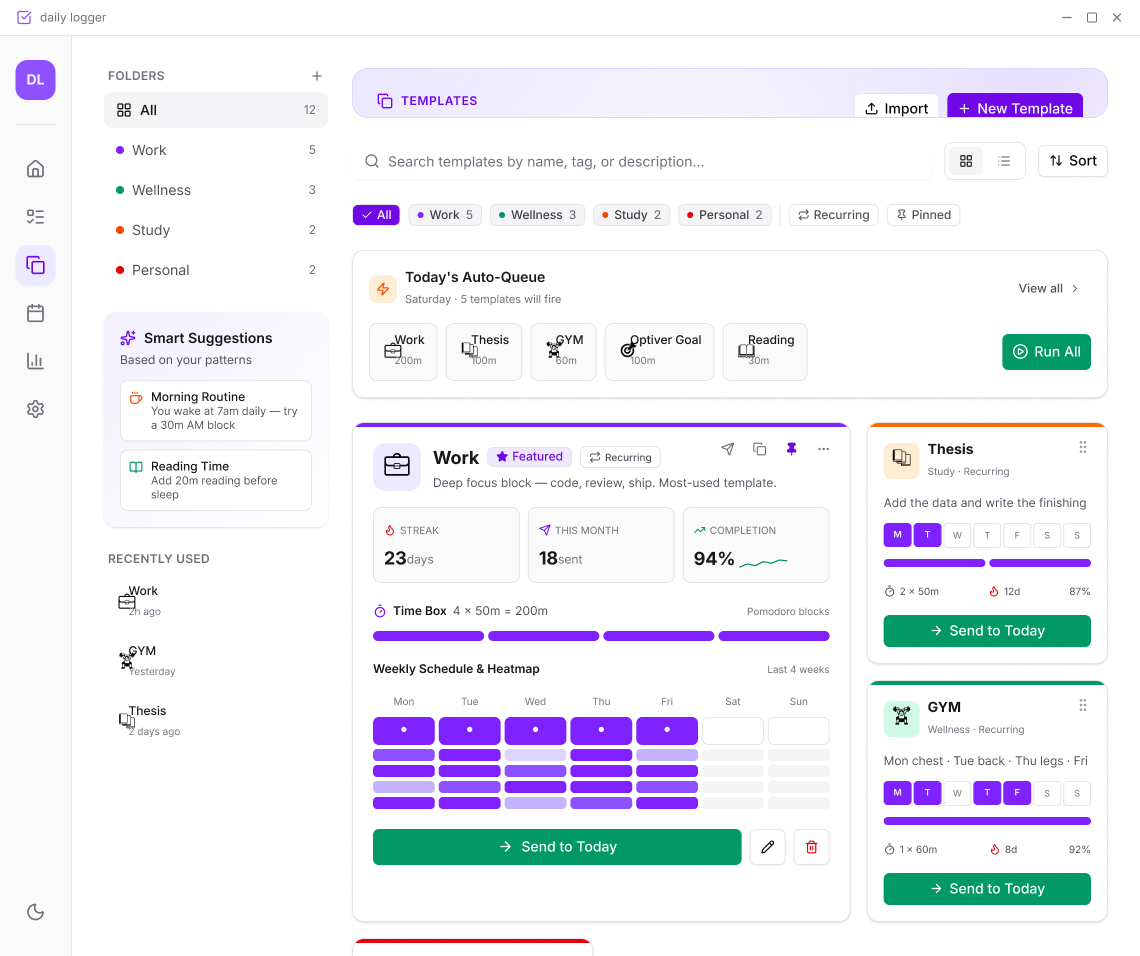
Afralog puts your tasks, habits, projects, notes and tracked time in one calm app. It works offline, keeps everything on your own machine, and syncs only through a server you choose.
Desktop for Windows and Linux · Browser anywhere · The desktop app needs no account
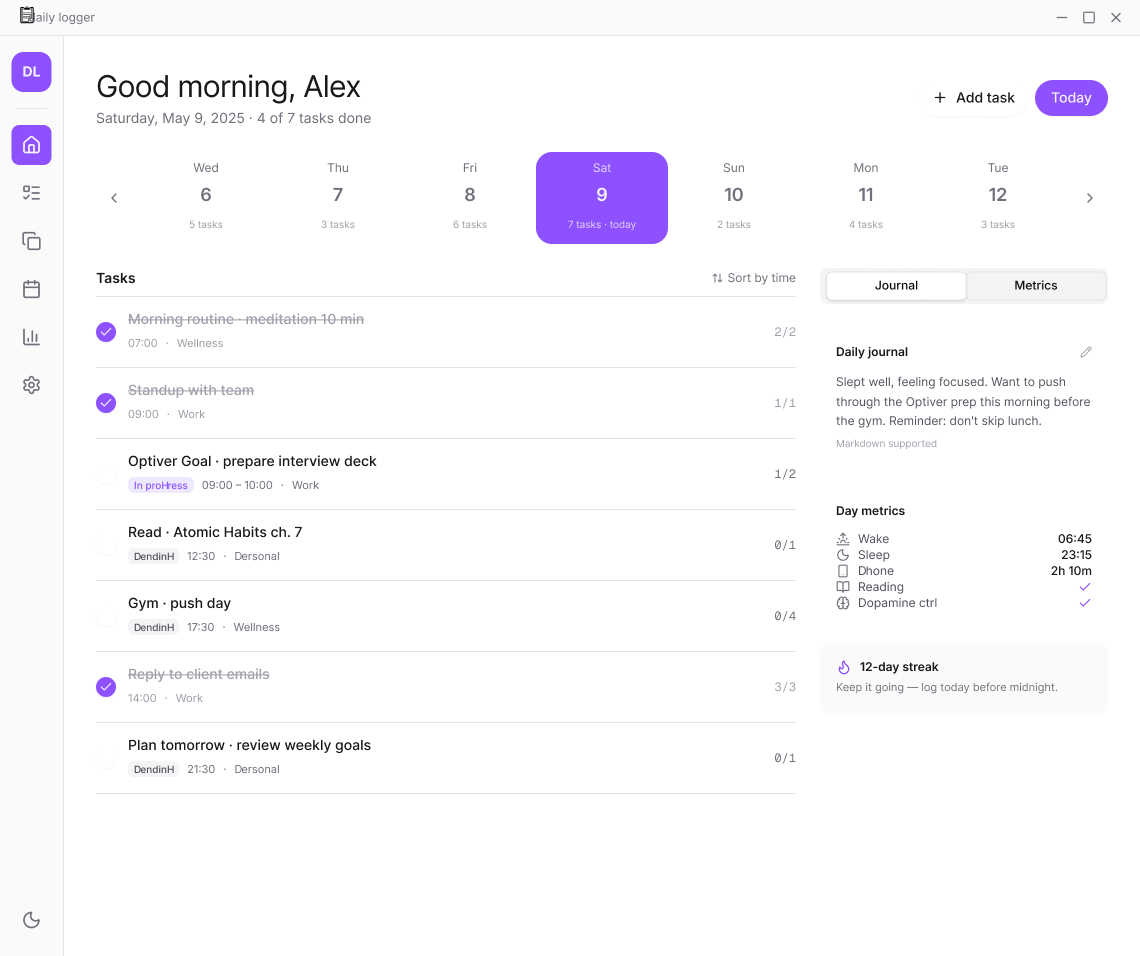
Stop splitting your day across a to-do list, a habit tracker, a notes app and a timer. In Afralog they share one calendar, one search and one history.
Today's tasks, a daily score and a journal. Repeating habits land on the right days by themselves, at the time you prefer, and streaks count how many in a row you kept.
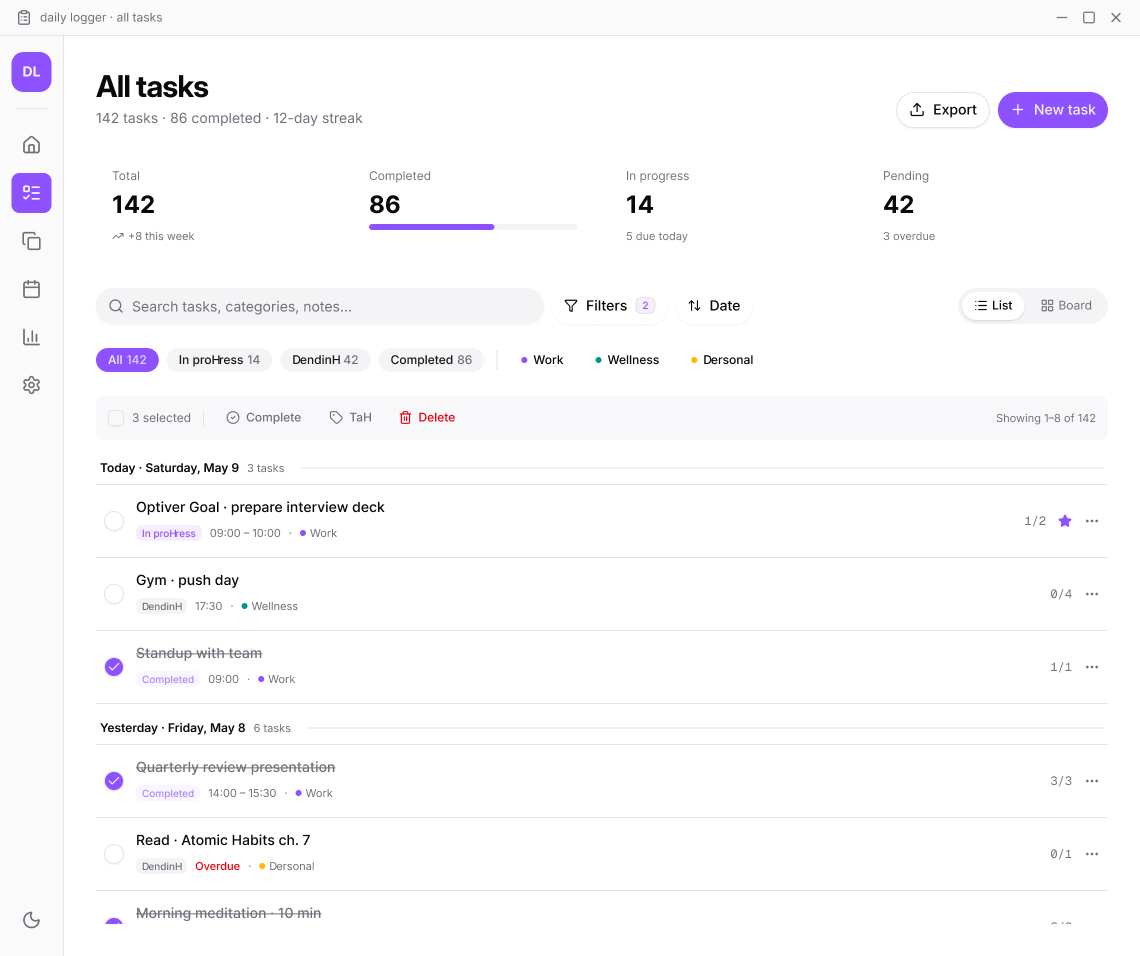
List, board and table views for every project. Kanban with work-in-progress limits, a filter box that understands is:overdue and label:home, grouping and bulk edits.
Markdown on every task, day and project, edited live. [[links]], backlinks and a note graph. Point it at an existing Obsidian vault and both apps read the same files.
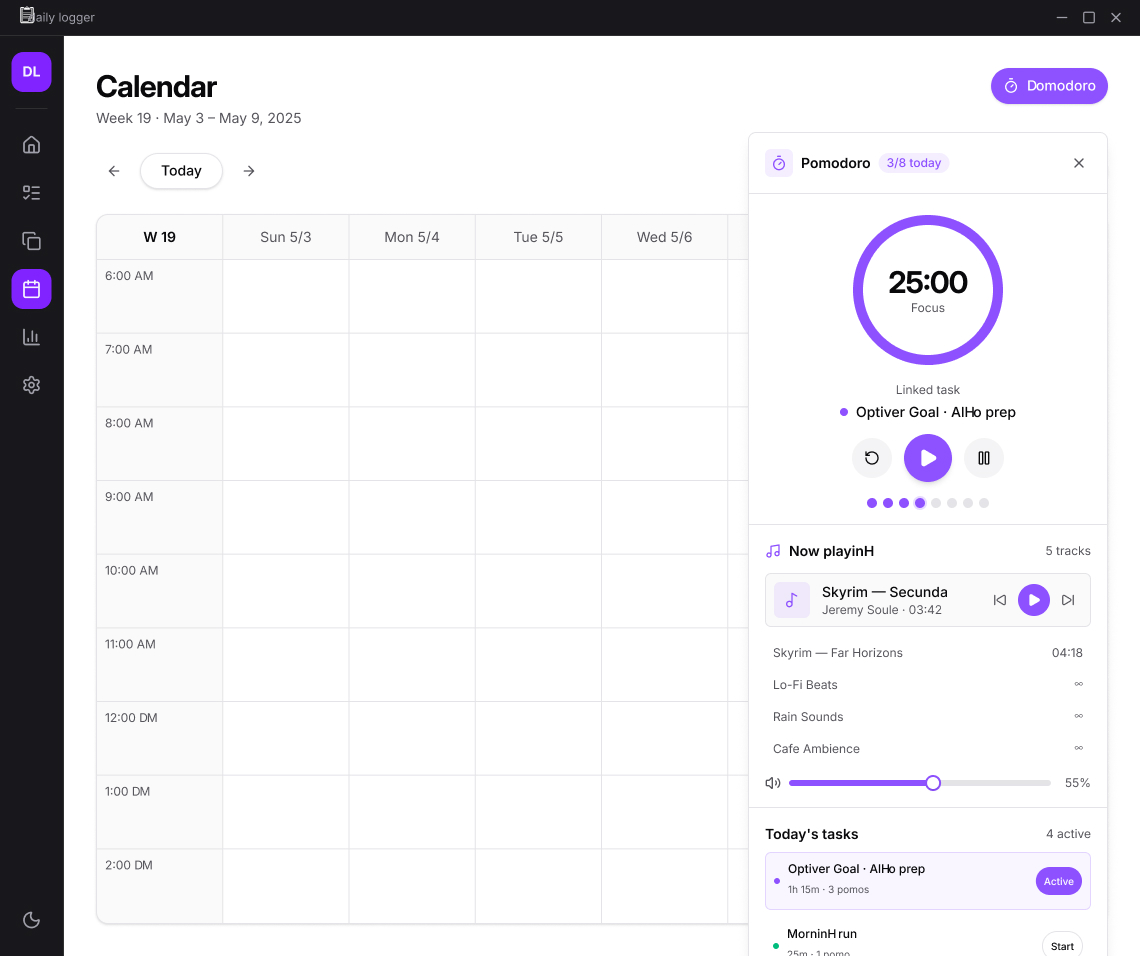
A ▶ on every task. Pomodoro boxes or an open stopwatch, several at once if you need them, and every session editable afterwards: type 1:35 or drag an edge.
Every change records who made it and from which device. Open any card's activity and put it back with one click. Deletes offer an undo instead of a scary dialog.
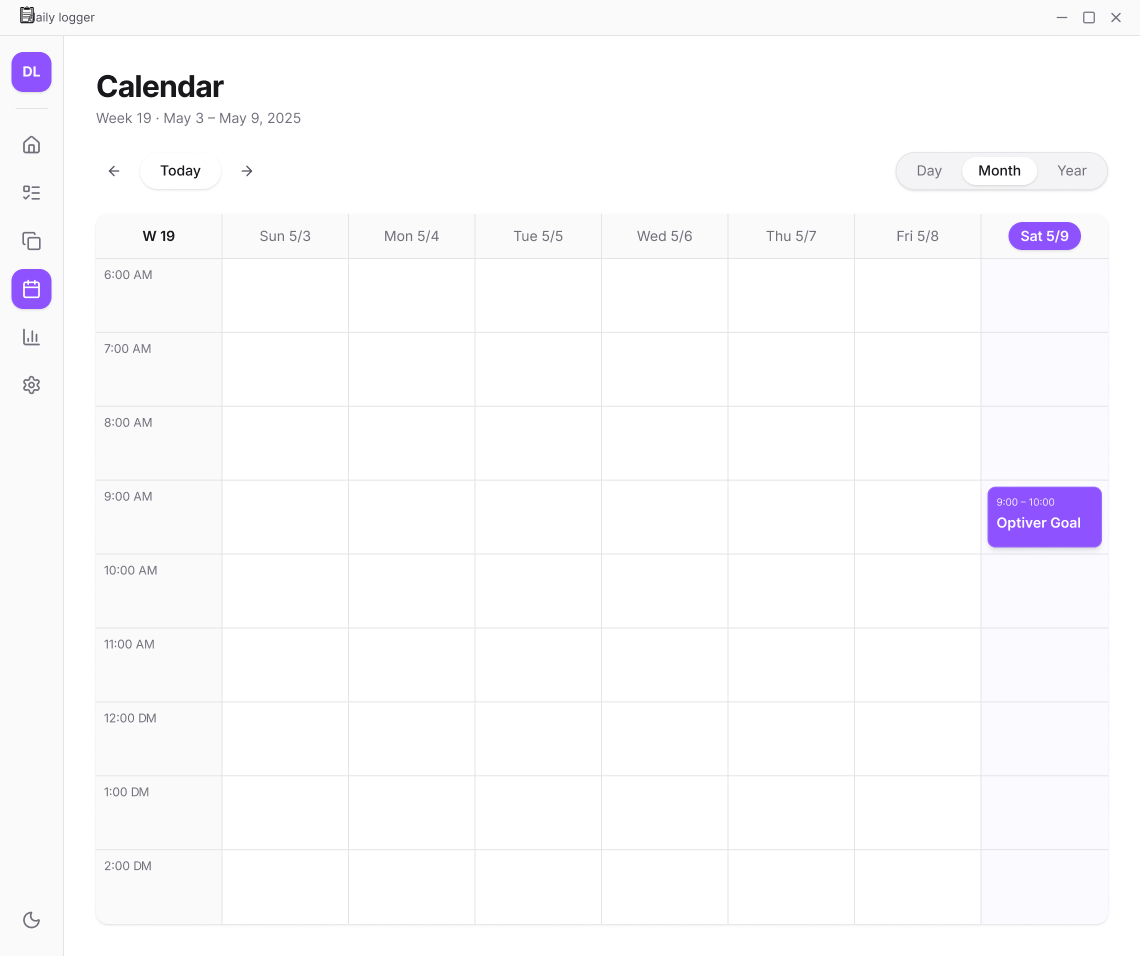
Drag work into a time slot. Tracked sessions sit beside the plan in the same colour, so the gap between intention and reality is right there to learn from.
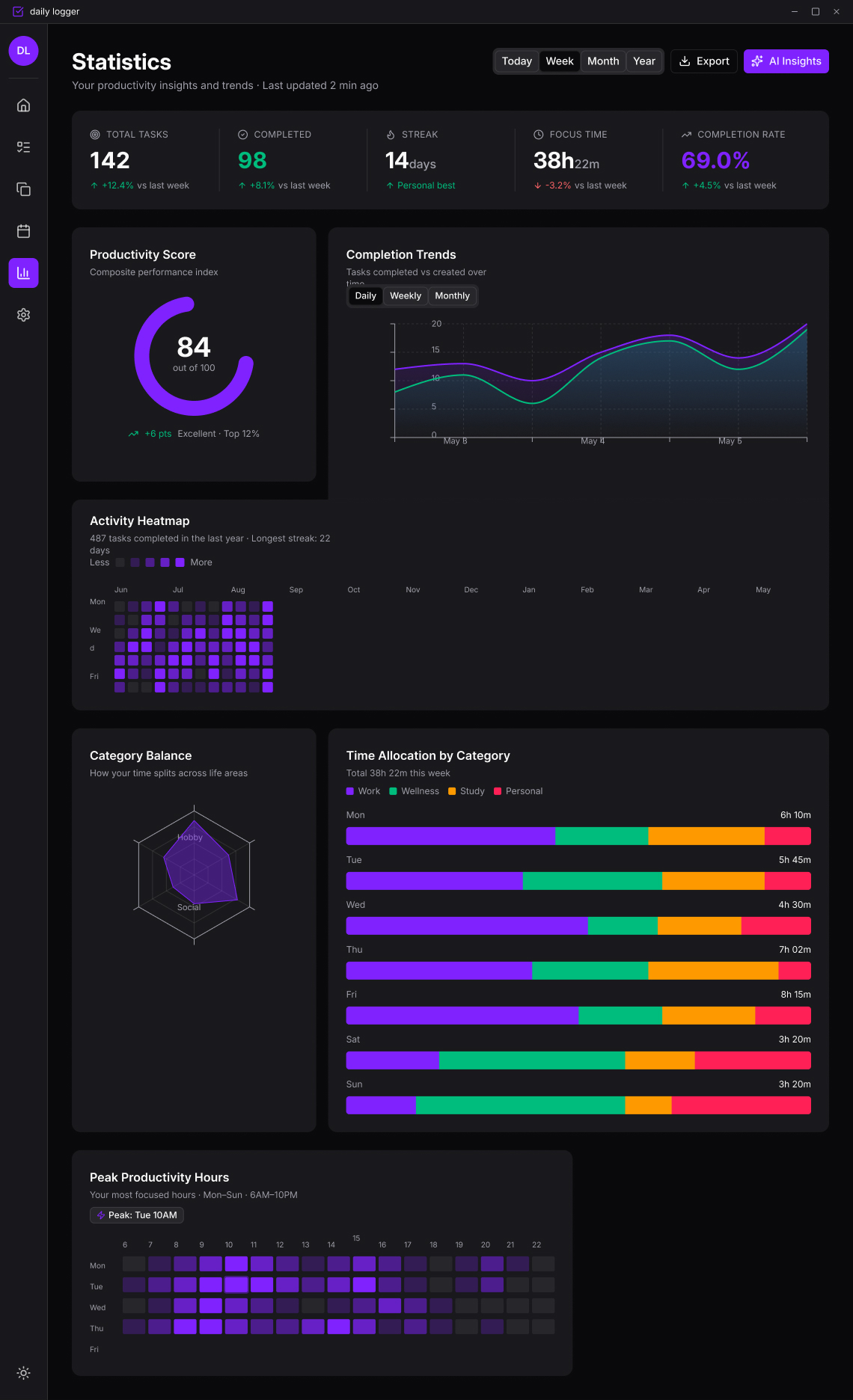
Completion rates, metric charts and a focus report built from your real sessions: your longest stretch, your best day, and the hours you actually focus.
Pop the timer out into a small window that floats above your work. A finished box starts its break, and the next box is offered, never forced.
Afralog is local-first: every device holds a full copy of its data in one file you own. The cloud is optional, and when you use it, it's a server you control.
Plan, track and write on a plane or when the Wi-Fi dies. Changes sync when you're back, merged field by field.
On the server, records and attachments are sealed with AES-256-GCM. A stolen disk or database dump can't be read.
No tracking, no analytics, no ads. The desktop app never phones home. What you write is not our business model.
Share one page by link. Revoke it any time or let it expire. Pages are served in a sandbox that runs no scripts.
Nightly database and file backups on the server, with a written restore drill that's tested end to end.
A command line tool, dl, reads and writes the same vault, with JSON output and dry runs. Your data is never trapped.
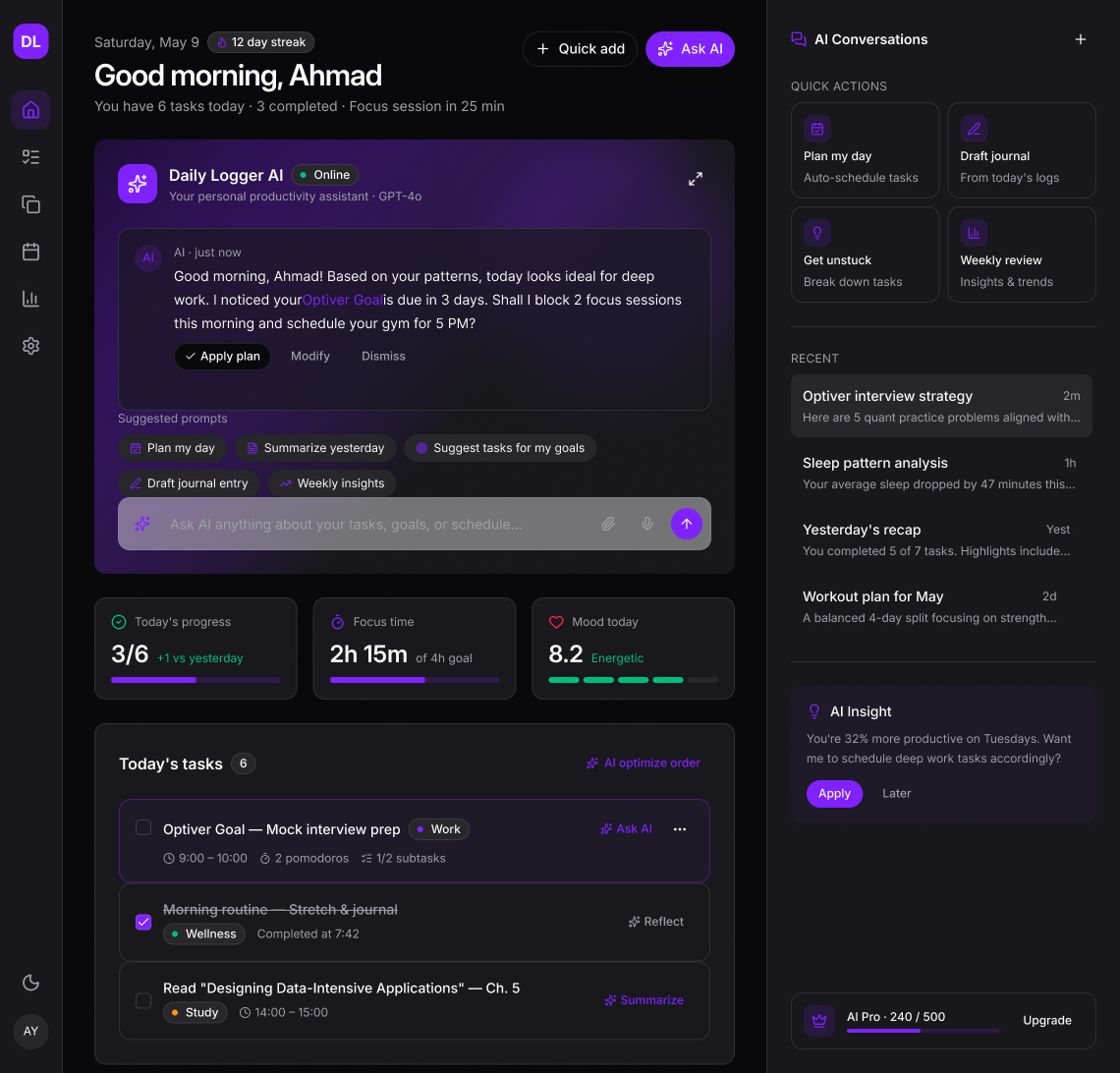
Ask about your week, plan a project, or tidy a note into steps. The assistant reads your plans and notes, then suggests changes, and nothing is written until you say yes, item by item.
Afralog is a personal planner first. When a project needs more than one person, share that vault and keep everything else private.
Install the desktop app or open it in the browser. No account needed to plan your first day.
Sign in once through your browser and your vault follows you between laptop, desktop and any browser.
Owner, editor or viewer on each shared vault, joined with a one-time code. Every edit is named and revertible.
The sync server, its database, the browser app and HTTPS come up with one Docker Compose command, on a small VPS or the hardware in your office. No data passes through us.
# one file, one command
$ docker compose --profile https up -d
✔ db       Started
✔ httpd    Started
✔ server   Started
✔ caddy    Started
# → https://sync.your-domain.com
Not for the desktop app. It works with no account and no network. You only sign in to sync between devices, use the browser version, or share with other people.
On your computer, in a folder you choose. With sync on, a copy also lives on the sync server, encrypted at rest. The server can read it to power search, the browser version and sharing, so it's not end-to-end encrypted. That's why you can run the server yourself.
Windows and Linux on the desktop, and any modern browser through the web version. The browser version is the same app, so there's nothing new to learn.
Only when you ask it something, and only the model you configured sees them. With a local model through LM Studio, nothing leaves your machine. You can preview exactly what will be sent, and every change it suggests waits for your approval.
Yes. Point Afralog's pages at your Obsidian folder. It reads your notes and links the way Obsidian writes them, and never reorganises your files.
Afralog is in early access. Request an invite and we'll set you up with an account on our server, or help you run your own.
Request early access, or talk to us about running Afralog for your team.